Developer docs
From a website folder to a link anyone can open.
Publish your first app
Follow four steps to publish or update a website.
Before you start
- A wallet holding a circuit NFT
- A built static website folder
- OKB for on-chain transactions
- 01
Choose your circuit
Connect the owner wallet and select the circuit for your website.
No container yet? Check the fee, then sign to create it.
- 02
Upload your website folder
Select the built folder and sign a one-use upload authorization.
The platform uploads to IPFS, pins, then reads back and verifies every file.
- 03
Preview and publish
Preview the site when available, then check the circuit, CID and version.
Confirm the on-chain transaction in your wallet and wait for success.
- 04
Share your app
Copy the visit link or find the app in the DeWEB directory.
Visitors open the HTTPS link without a wallet or plugin.
Which folder should I upload?
Upload your build output, not your project source.
website/
├── index.html
├── deweb-icon.png
└── assets/
    ├── app.js
    ├── style.css
    └── logo.svg
index.html
Required entry file at the root
Scripts, styles and images may use subfolders
Use relative asset paths, such as ./assets/app.js.
Never upload private keys, service secrets or .env files.
Give your app an icon
Choose a PNG on the deployment page. The platform previews and validates it before uploading it with your website to IPFS. You can also include deweb-icon.png at the website root; this publisher adds the declaration automatically.
PNG · 256 × 256 pixels · Up to 128 KiB · Static, non-interlaced, 8-bit RGB/RGBA. Published as deweb-icon.png.
 Gomoku icon
 Poker icon
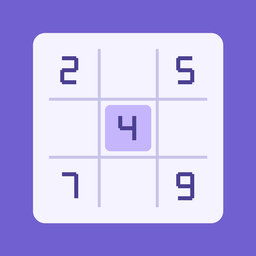 Sudoku icon
Missing or failed icons use a default. Download the three examples below. Existing test apps use these samples until their developer publishes a custom icon.
Icons are pinned to the CID and version. Changing an icon requires the current circuit NFT holder to publish a new version and pay transaction gas. Published files cannot be replaced in place.
No site yet? Download the ZIP, extract it and select the website folder inside.
When do I sign or pay gas?
- Action
- Authorize upload
- Wallet confirmation
- Message signature: authorize these files
- Cost
- No gas
- Action
- Create a container
- Wallet confirmation
- On-chain transaction
- Cost
- Displayed contract fee + gas
- Action
- Publish or rebind a website
- Wallet confirmation
- On-chain transaction
- Cost
- Network gas
A successful upload is not a publication: complete the final on-chain confirmation.
Where do files, permissions and access live?
IPFS stores files
HTML, JS and CSS; a CID identifies this content.
The contract records the binding
Stores the CID, version and container link; the NFT controls publishing.
The gateway serves the site
Fetches files for the on-chain CID and returns them to the browser.
The browser runs the app
For Gomoku, the board, rules and AI all run locally.
How visits become mining weight
Boost connected · On-chain settlement determines activation
What counts as a visit
A rewarded visit requires today’s Cloudflare Turnstile verification followed by a successful application HTML navigation through our gateway, including cache hits. Each browser credential counts once per app per UTC+8 day. Failed or skipped checks, assets, refreshes, prefetches, embeds and detected automation do not count. Other gateways and direct IPFS access are excluded. Previous observation counts never become rewarded counts.
When it updates
Daily epochs begin at 02:00 UTC+8 using seven complete days ending yesterday. Boost starts only after the report and miner proof are confirmed on chain, with no backdating. It expires automatically at the next 02:00; settlement failure cannot extend it. Inactive miners are not started automatically. Rewards follow the current NFT holder. Emission is unchanged: boost changes pool allocation, not guaranteed income.
Boost formula · reward v1
T is the qualified total for seven complete days; S=T/7; bps=floor(2000*T/(T+7000)). Missing days are zero; 7000 visits yield 10.00%. Only base weight b*P is boosted, excluding design premium and additive to OKB boost. For each pool, with original weight B and requested additions R, the actual addition is min(R,floor(B/20)), shared proportionally. Exits, migrations and weight changes immediately rescale it to at most 5% of current original pool weight. Contract accrual uses integer precision; displayed weights round down.
T = sum(daily[].eligibleVisits)
S = T / 7
bps = floor(2000 × T / (T + 7000))
percent = bps / 100
Public data and independent verification
/__fab/reward/summary exposes daily qualified counts; /__fab/traffic retains observations. Identity combines chain, site registry and container. Before submission, the service saves an immutable report with policy, domain, daily counts and Merkle proofs, then commits its root and content hash on chain. Compare report hashes with reports(epoch), verify verifiedBoost and inspect dewebWeights to check calculation and execution. This does not prove that every gateway observation represents a human.
Download verifiernode verify-deweb-traffic.mjs https://YOUR-APP/
Updates, permissions and troubleshooting
Open the topic you need.